
Nciku, a Web site that bills itself as “more than a dictionary,” has a nifty feature that allows users to find Chinese characters by drawing them with a mouse.
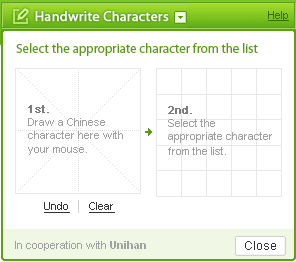
As you draw, possible character matches will appear in the box to the right of your drawing, with the results refined as your drawing progresses. You don’t need to know the canonical stroke order to get this to work, nor do your calligraphy skills need to be perfect, as this example shows.
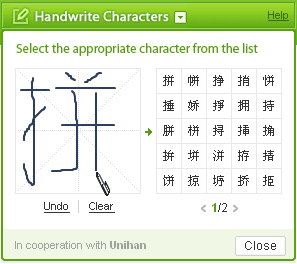
Once you see the correct character offered as a choice, click on it and it will be entered into the search box for the site’s online dictionary. This dictionary feature can handle multiple-character input and will even prompt you with likely choices to fill out your search.
via Keywords
I found I had to pause between strokes while the possible choices were reloaded, otherwise, I’d get an extra stroke drawn directly from the last place my cursor was over to the right-hand box. I also got a simplified character entry when I had clicked on a traditional one from the list.
Any ideas about that? Does it happen to anyone else, or am I messin’ up?
I’ve seen another one like this elsewhere, but I can’t find it again at the moment…
(A moment later) Okay, here are two.
Yellowbridge (click the paintbrush and wait for a popup):
http://tinyurl.com/5xkuoh
Here’s MDBG (click the paintbrush to the right of the text-entry field):
http://www.mdbg.net/chindict/chindict.php
I may have been turned on to one of those by you in the past, and despite my difficulties, a new one is always useful, so super-double-thanks (????).
Glad you like our site and the handwriting tool. Thanks for mentioning us.
@Tim
About your issues. It doesn’t sound like you’re messin up. Sorry about the pause, but that would just be do to lag. Are you connecting from within China, or outside? As for traditional characters, we have one entry for each simplified character. Those pages have the traditional character information on it and will be found if you search for traditional characters.
Hope that just made sense.
Dan, I’m connecting from Taiwan: outside of China! I understand the lag, but it took me a few tries before I realized just why things were behaving that way.
OK – just some long-existing app now as a web applet.
I’m still loooking for open-source stuff that works with a tablet … But maybe the tomoe bug in Gentoo will one day be fixed …
Just to let you know, nciku just started a new promotion. Come on over and win some prizes!
LOVE this website! You are a life saver. I’ve been trying to get names of family members typed, but not always successful with the pinyin. Drawing the characters I found them almost instantly!!! Thank you!
Pingback: Web based handwriting recognition tool at NICKU.com « Mandarin Scholarship Taiwan
Pingback: Pinyin news » Baidu adds handwriting input
does anyone know if there is an app that lets you draw characters with your android phone and then bluetooth the characters to your laptop to search with?
i’m guessing it would have to override / impersonate your laptop keyboard as a bluetooth keyboard for as long as you were using it.
maybe an easy toggle on/off would help?
NCIKU went bust! is there some site to replace it where I can draw characters as before?
Try Tasty Mantou. Click on “Handwriting Tool” to the right of the search box.
Thanks for the mention. I think our handwriting tool is the best one out there. It also works on mobile devices, something nciku’s never did.
Tried to draw character with mouse above within prescribed field. Did not work. :(
There is a problem with the Nciku drawing part. When I draw a character, it does give choices in those boxes on the right, it shows on the top between where I draw the character and where the choices are shown. How should I fix this problem because now I can’t find out what the pinyin is of character that i don’t know
I installed the line dictionary android app and it claims to include the handwriting function but I can’t find it. That’s what I really want so it’s not much use to me.
appears program no longer exists…?
URL redirects from nciku.com to ce.linedict.com
Those other two suggested by the first commenter are functional although are online ones. Yellowbridge and MDBG…
Previously I found a good free online Chinese traditional handwriting of LINE DIC with a pen feature that easy to click on a “pen” with a square space for handwriting a character with many choices of the Chinese words that I have been using it for quite a long time. Now when I click the same link it changed to different feature which is difficult to find the same method as I used to be.
I use this website a lot in my work (We distribute medical equipment to China) and this website has been a life saver.
For the life of me, I cannot make this work! I can’t even find the little “pen” icon someone mentioned. I’m not very techy, but I’m not stupid. Help!
Here’s the location of the “pen” icon.
I have this app on my phone and it was easy to download.
Now, I am trying to get it on my pc and it’s making me want to stab myself in the stomach over and over again while hitting my head on a chainsaw that’s on. I’m not going to use this app again, lol.
I find the software excellent but how do I purchase and download the software for use?
I add the Chinese handwriting keyboard but I don’t know how to draw Chinese letters
Now no longer available on the website, it seems.